Client documents, in order.
A WordPress plugin for accountants, lawyers and consultants. Send clients a checklist and a private link. They upload from their phone, you review every item in WordPress. No client accounts, no email attachments, no per-client fees.
- Free on WordPress.org
- Files stay on your site
- WordPress 6.5 or newer
- Private file storage, not public uploads
- Links that expire
- Files stay on your own site
- Works on any phone
- Made in Canada
Stop chasing documents by email
Every season it's the same: attachments spread across threads, photos of the wrong page, and the one missing slip you only notice at the deadline.
- "Did you get my T4?" in six different threads
- Sensitive files sitting in inboxes for years
- You track what's missing in a spreadsheet
- Reminders written by hand, one client at a time
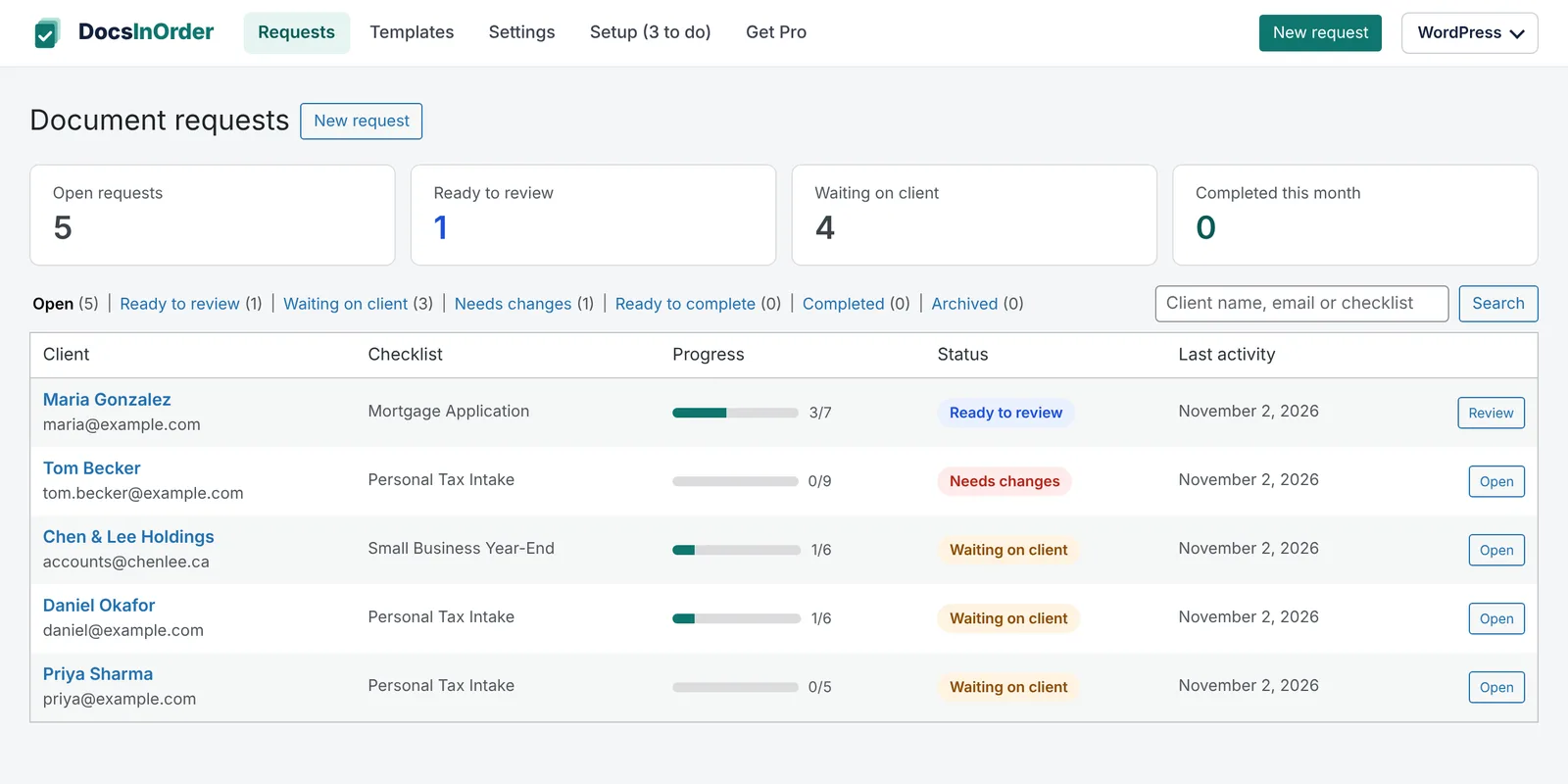
- One checklist per client, one private link
- Files go straight to protected storage on your site
- Every client's progress at a glance
- One-click reminders, or automatic with Pro
From request to complete in four steps
Build a checklist
List the documents you need with instructions, or start from the tax or mortgage template.
Send a private link
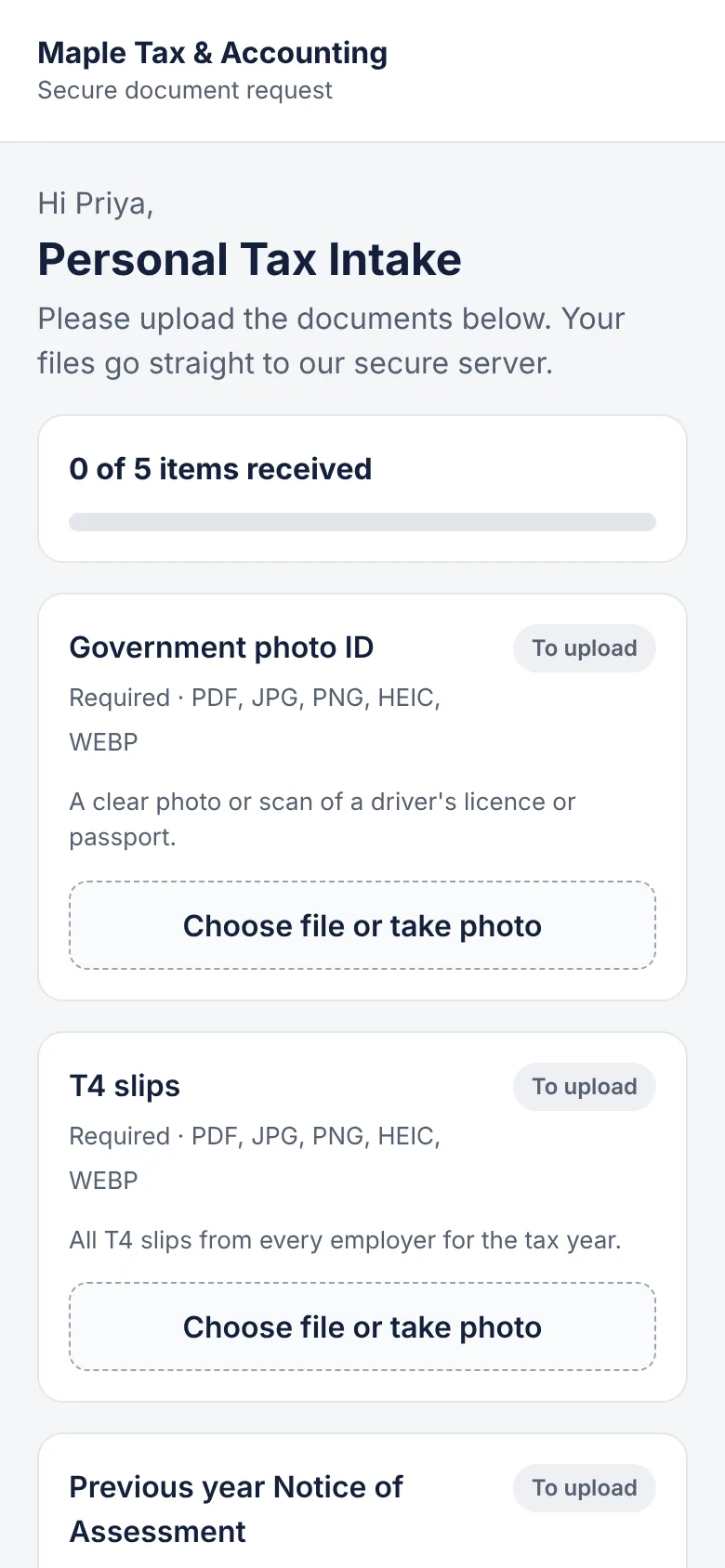
Your client gets an email with a secure link. No username, no password.
Client uploads
They see exactly what's missing and upload from their phone or computer.
Review each item
Approve it, or request changes with a note. The client sees what to fix.
Review without the back-and-forth
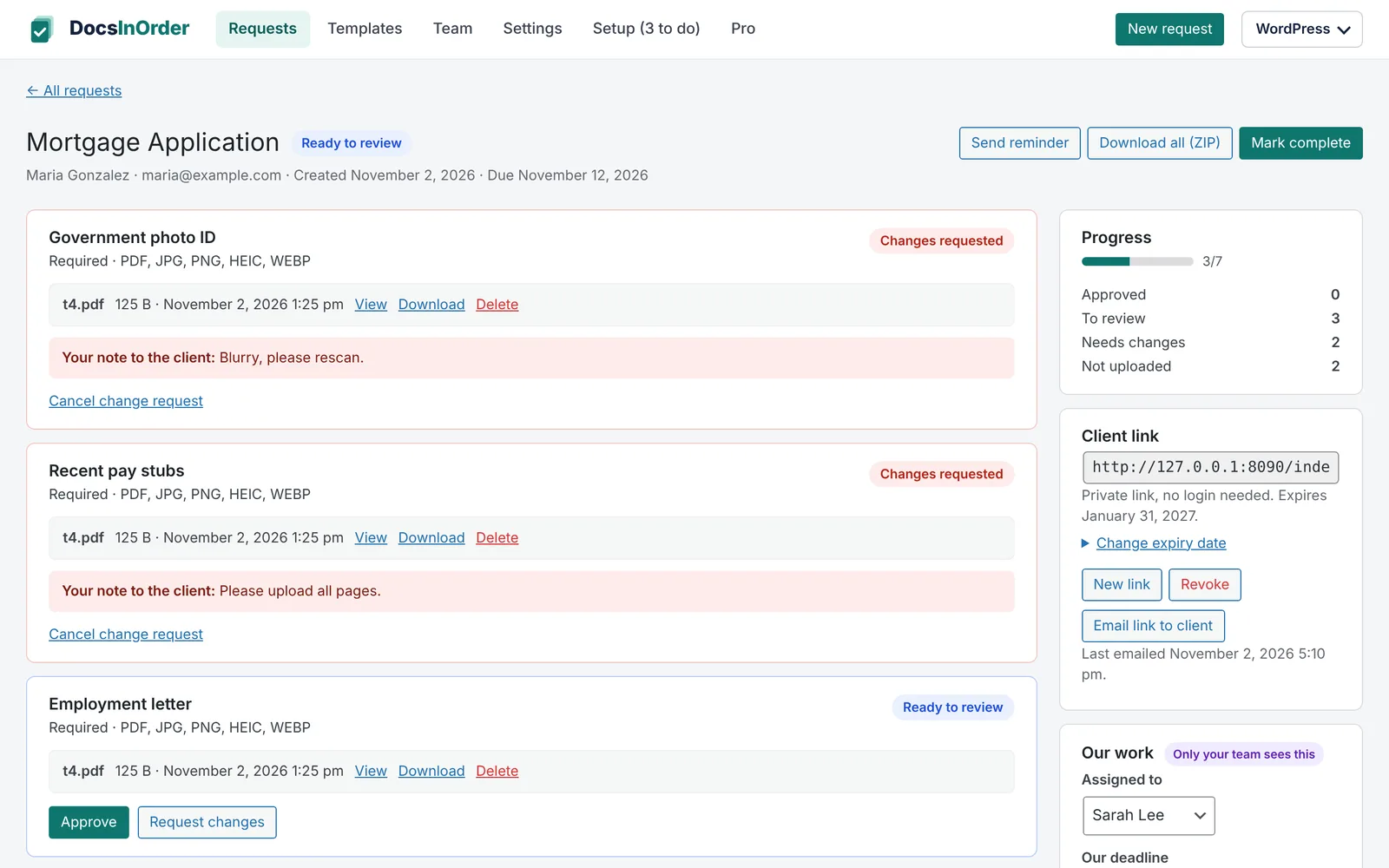
Every upload lands on the right checklist item. Open it, approve it, or ask for a better copy. Your note shows up on the client's page and in the email.
- View and download each file
- Download the whole request as a ZIP
- Mark the request complete when you're done
Everything you need to collect documents
The free plugin is complete. No time limit, no client limit.
Checklist builder
Required or optional items, instructions for each one, and the file types you accept.
Reusable templates
Personal tax and mortgage templates included. Save any checklist as your own template.
Magic links
Clients open a private link. No account, no password. Links expire, and you can extend them.
Phone-friendly upload
Clients see what is missing and upload photos or files, several per item.
Accept or request changes
Review each item. Request changes with a note and email the client right away.
Private storage
Files are kept outside public uploads, checked by type and blocked from direct access.
ZIP download
Download everything a client sent in one file.
Activity log
See who sent, opened, uploaded and reviewed, and when.
Pro does the chasing for you
Automatic reminders, instant change requests and a light way to track your team's work. $99 a year for your site.
No card needed for the trial.
Turn on reminders for a request and Pro emails the client until everything is in, then stops by itself.
Request changes on an item and the client is emailed straight away with your note.
Your team hears about new uploads once per client visit, when a request is complete, or in a daily summary.
Assigned to, our deadline, internal status and private notes your clients never see.
Managers see and manage everything. Employees see the requests assigned to them or that they created.
Your logo, brand colour and signature on every email, with a plain-text version too.
Built for firms that live on paperwork
Accountants & bookkeepers
T4s, receipts, notices of assessment and year-end statements.
For accountants →Lawyers & paralegals
ID, contracts and evidence for each matter, kept off email.
For law firms →Immigration consultants
Passports, police certificates and proof of funds, item by item.
For immigration consultants →Mortgage brokers
Pay stubs, employment letters and down payment proof.
For mortgage brokers →Your site. Your files. No monthly per-user bill.
Client portals usually charge per user every month and keep your clients' files on their servers. DocsInOrder runs on the WordPress site you already have.
| DocsInOrder | Typical client portal | ||
|---|---|---|---|
| Where files live | Your own site | Their servers | Everyone's inbox |
| Client needs an account | No | Often | No |
| See what's missing | Item by item | Yes | No |
| Cost | Free, or Pro $99/year | Monthly, per user | Free, but your time |
Document checklists you can use today
Print them, or use the same list as a DocsInOrder template.
Personal tax return document checklist (Canada)
Slips, receipts and notices to collect before filing.
MortgageMortgage application document checklist
Income, ID, down payment and property documents.
Immigration and law firm intake checklists
Next on the list, one page each.
Do my clients need to create an account?
Where are the files stored?
Is the free version really free?
Does DocsInOrder send my clients' data anywhere?
Can my staff use it without seeing WordPress settings?
What do I need to run it?
Get this season's documents in order
Install the free plugin. Upgrade only if Pro saves you time.